関数クイックスタート
数式から関数プロットを作成します。
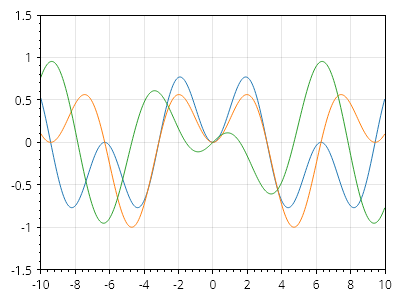
ScottPlot.Plot myPlot = new();

// 関数は、入力と出力を持つデリゲートとして定義されます
static double func1(double x) => (Math.Sin(x) *Math.Sin(x / 2));
static double func2(double x) => (Math.Sin(x)* Math.Sin(x / 3));
static double func3(double x) => (Math.Cos(x) * Math.Sin(x / 5));

// 関数をプロットに追加します
myPlot.Add.Function(func1);
myPlot.Add.Function(func2);
myPlot.Add.Function(func3);

// 関数には離散データ点がないため、軸の範囲を手動で設定します
myPlot.Axes.SetLimits(-10, 10, -1.5, 1.5);

myPlot.SavePng("demo.png", 400, 300);
このレシピは、関数カテゴリにある多数のレシピの 1 つです