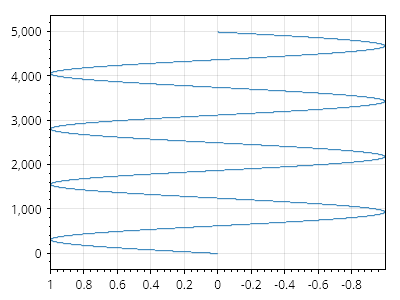
X 軸が反転した垂直 SignalXY
回転した SignalXY プロット(下から上へ進むようにする)を、反転した水平軸(正の値が左側にある)上にも表示する方法を示します。
ScottPlot.Plot myPlot = new();

// シグナルプロットを追加する
double[] xs = Generate.Consecutive(5_000);
double[] ys = Generate.Sin(count: xs.Length, oscillations: 4);

// 垂直になるように回転する
var signal = myPlot.Add.SignalXY(xs, ys);
signal.Data.Rotated = true;

// 水平軸を反転する
myPlot.Axes.SetLimitsX(1, -1);

myPlot.SavePng("demo.png", 400, 300);
このレシピは、SignalXY プロットカテゴリにある多数のレシピの 1 つです