株式シンボルの複数行表示
複数行の背景テキスト機能を使用して、プロットの下に株式シンボル情報を表示できます。
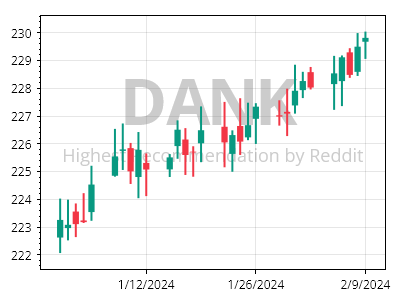
ScottPlot.Plot myPlot = new();

myPlot.Add.Candlestick(Generate.RandomOHLCs(30));
myPlot.Axes.DateTimeTicksBottom();

(var line1, var line2) = myPlot.Add.BackgroundText("DANK", "Highest Recommendation by Reddit");

line1.LabelFontColor = Colors.Gray.WithAlpha(.4);
line1.LabelFontSize = 64;
line1.LabelBold = true;

line2.LabelFontColor = Colors.Gray.WithAlpha(.4);
line2.LabelFontSize = 18;
line2.LabelBold = false;

myPlot.SavePng("demo.png", 400, 300);
このレシピは、金融プロットカテゴリに含まれる多数のレシピの 1 つです