線のみの散布図
ScatterLine() メソッドを使用すると、線のみの散布図を作成できます(マーカーサイズは 0 に設定されます)。
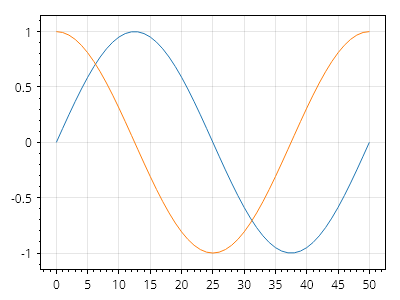
ScottPlot.Plot myPlot = new();

double[] xs = Generate.Consecutive(51);
double[] sin = Generate.Sin(51);
double[] cos = Generate.Cos(51);

myPlot.Add.ScatterLine(xs, sin);
myPlot.Add.ScatterLine(xs, cos);

myPlot.SavePng("demo.png", 400, 300);
このレシピは、散布図カテゴリに含まれる多数のレシピの 1 つです