ラベルの下線を設定する
下線はラベルスタイルに追加できます。下線の太さとオフセットもカスタマイズできます。
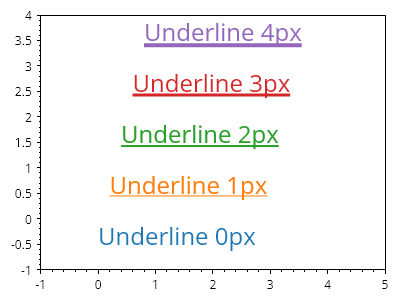
ScottPlot.Plot myPlot = new();

for (int i = 0; i < 5; i++)
{
    var text = myPlot.Add.Text($"Underline {i}px", i / 5.0, i);
    text.LabelFontSize = 24;
    text.LabelFontColor = ScottPlot.Palette.Default.GetColor(i);
    text.LabelUnderline = true;
    text.LabelUnderlineWidth = i;
    text.LabelUnderlineOffset = 2 + i / 2;
}

myPlot.Axes.SetLimits(-1, 5, -1, 4);
myPlot.HideGrid();

myPlot.SavePng("demo.png", 400, 300);
このレシピは、プロットのスタイリングカテゴリにある多数のレシピの 1 つです